Black Friday offers some of the lowest prices of the year on 75-inch televisions, with deep discounts across budget LED, mid-range Mini-LED, and premium OLED panels. Maximizing savings requires identifying feature-stripped doorbuster SKUs, verifying panel refresh rates and local dimming capabilities, and timing purchases between early November sales and Cyber Week price-matching windows.
Understanding the 75-Inch TV Black Friday Landscape
The 75-inch television class (which includes 77-inch panels for OLED models) has become the sweet spot for modern living rooms and dedicated home theaters. Once considered a luxury format, manufacturing efficiencies in LCD cell fabrication and OLED glass cutting have driven prices down, making large-format screens accessible to budget-conscious shoppers.
During Black Friday sales events, retailers clear out inventory to make room for models announced at early-year trade shows. Discount structures generally fall into three distinct tiers:
- Entry-Level / Budget (75-inch, $450 – $700): Basic Direct-Lit LED panels with 60 Hz refresh rates, standard dynamic range (SDR) priority, and basic smart TV platforms.
- Mid-Range Performance (75-inch, $800 – $1,400): Quantum Dot (QLED) or entry Mini-LED displays featuring full-array local dimming, 120 Hz native refresh rates, HDMI 2.1 support, and elevated HDR brightness (600 to 1,200 nits).
- Premium / Flagship (75-inch Mini-LED / 77-inch OLED, $1,500 – $3,000+): Advanced Mini-LED panels with thousands of dimming zones or self-emissive OLED/QD-OLED technology, offering infinite contrast ratios, wide viewing angles, specialized anti-reflective coatings, and high-end video processing.
Navigating these discount tiers requires balancing physical screen size against panel quality. A lower-tier 75-inch display may offer an immersive screen area, but a higher-tier 65-inch display could yield superior image contrast, color volume, and motion handling at a similar price point.
Display Technologies: QLED, Mini-LED, and OLED Explained
Choosing the right 75-inch television during Black Friday depends on understanding how backlighting and pixel structures function in different ambient lighting conditions.
| Display Technology | Description |
|---|---|
| Standard LED | Edge or direct backlighting, uniform brightness |
| QLED | Quantum Dot film layer for expanded color |
| Mini-LED | Thousands of micro-LEDs for localized control |
| OLED / QD-OLED | Self-emissive pixels, individual pixel dimming |
Standard Direct-Lit and Edge-Lit LED
Standard LED-backlit LCD panels use LEDs mounted behind the panel (direct-lit) or along the edges (edge-lit). Edge-lit models tend to suffer from light bleed at the screen borders, while basic direct-lit displays lack fine control over lighting zones. These screens are best suited for bright environments where absolute black levels and high dynamic range performance are not critical requirements.
Quantum Dot LED (QLED)
QLED televisions introduce a layer of quantum dots—microscopic semiconductor nanocrystals—between the backlight and the LCD panel. When struck by blue light, these dots emit pure red and green light. This significantly expands the panel’s color gamut (measured in DCI-P3 coverage) and enhances color volume at higher brightness levels.
Mini-LED
Mini-LED technology replaces traditional LEDs with light sources that are a fraction of the size. This allows manufacturers to pack thousands of LEDs into the backlight matrix, grouped into hundreds or thousands of Full-Array Local Dimming (FALD) zones.
By dimming specific backlight zones independently, Mini-LED TVs achieve near-OLED black levels while reaching peak brightness levels of 1,500 to 3,000 nits. This makes Mini-LED the dominant technology for large 75-inch screens placed in bright, sunlit rooms.
OLED and QD-OLED (77-Inch Class)
Organic Light-Emitting Diode (OLED) screens do not use a backlight. Every pixel emits its own light and can turn off completely, yielding true black ($0$ nits luminance) and an infinite contrast ratio.
Note on sizing: Standard OLED substrate cutting yields a 77-inch screen size rather than a standard 75-inch LCD frame.
QD-OLED (Quantum Dot OLED) combines self-emissive pixels with a quantum dot color layer, producing higher peak brightness and broader color saturation than traditional WOLED (White OLED) panels. OLED displays offer superior viewing angles and zero backlight blooming, making them ideal for light-controlled home theater environments.
Critical Technical Specifications to Verify Before Purchasing
Retailers often use promotional labels like "4K HDR Smart TV" on both high-end displays and low-end models. Inspect the technical datasheet to verify panel performance.
- 75-Inch TV Black Friday Check
- Native Panel Refresh Rate: 60 Hz vs 120 Hz/144 Hz
- Backlight & Dynamic Range: FALD zones & nits
- HDMI 2.1 Integration: 4K@120Hz, VRR, ALLM
Native Refresh Rate: 60 Hz vs. 120 Hz / 144 Hz
- 60 Hz Panels: The screen refreshes 60 times per second. Fine for general broadcast television, streaming drama, and casual gaming, but motion blur can occur during fast-action sports or high-speed gaming.
- 120 Hz / 144 Hz Panels: Essential for smooth motion handling. A native 120 Hz panel can display 24 fps movie content cleanly without 3:2 pulldown judder. High-refresh panels are necessary to take full advantage of current-generation gaming consoles (PlayStation 5, Xbox Series X) and high-end PCs.
HDR Format Support and Peak Brightness
High Dynamic Range (HDR) expands the range between the darkest blacks and brightest whites. Evaluate these formats:
- HDR10: The baseline static HDR format supported by all 4K TVs.
- Dolby Vision: A dynamic metadata format that adjusts picture settings scene-by-scene or frame-by-frame.
- HDR10+: A dynamic royalty-free alternative to Dolby Vision, primarily supported by Samsung and select streaming services.
A TV must possess sufficient hardware capability to render HDR effectively. Look for peak brightness figures of at least 600 nits for decent HDR, with 1,000 nits or higher preferred for impactful highlights. Low-end TVs claiming "HDR compatibility" without high peak brightness or local dimming simply accept the signal but map it down to standard screen capabilities, leading to washed-out or overly dim images.
HDMI 2.1 Bandwidth and Features
Modern display standards managed by the HDMI Licensing Administrator mandate specific capabilities for high-throughput devices. If connecting gaming consoles or high-end soundbars, verify that the 75-inch TV features true HDMI 2.1 ports providing 40 Gbps or 48 Gbps bandwidth. Look for:
- 4K at 120Hz/144Hz: Allows high-resolution, high-frame-rate video output.
- Variable Refresh Rate (VRR): Synchronizes the panel's refresh rate with the console/GPU frame rate to prevent screen tearing (includes AMD FreeSync and NVIDIA G-SYNC compatibility).
- Auto Low Latency Mode (ALLM): Automatically switches the TV to low-lag "Game Mode" when a console signal is detected.
- Enhanced Audio Return Channel (eARC): Passes uncompressed object-based audio (such as Dolby Atmos or DTS:X) to an external receiver or soundbar.
75-Inch / 77-Inch TV Category Comparison
| Technology Tier | Typical 75"/77" Price Range | Peak Brightness (Nits) | Contrast Ratio | Best Room Environment | Primary Use Case |
|---|---|---|---|---|---|
| Budget Direct-Lit LED | $450 – $700 | 250 – 400 | Low to Moderate (3,000:1) | Moderately Lit / General | Casual TV streaming, cable news, budget upgrades |
| Mid-Range QLED / FALD | $800 – $1,200 | 600 – 1,000 | Good (6,000:1 to 10,000:1) | Bright Rooms / Mixed Lighting | Family sports, standard gaming, everyday media |
| High-End Mini-LED | $1,300 – $2,200 | 1,500 – 3,000+ | Excellent (50,000:1+) | Very Bright / Sunlit Rooms | Bright room HDR movies, modern console gaming |
| Flagship OLED / QD-OLED | $1,600 – $3,200 | 800 – 1,500 | Infinite ($\infty:1$) | Dark / Light-Controlled Rooms | Enthusiast home theater, cinema-grade movie watching |
How to Spot Fake Deals and "Doorbuster Special" Derivative Models
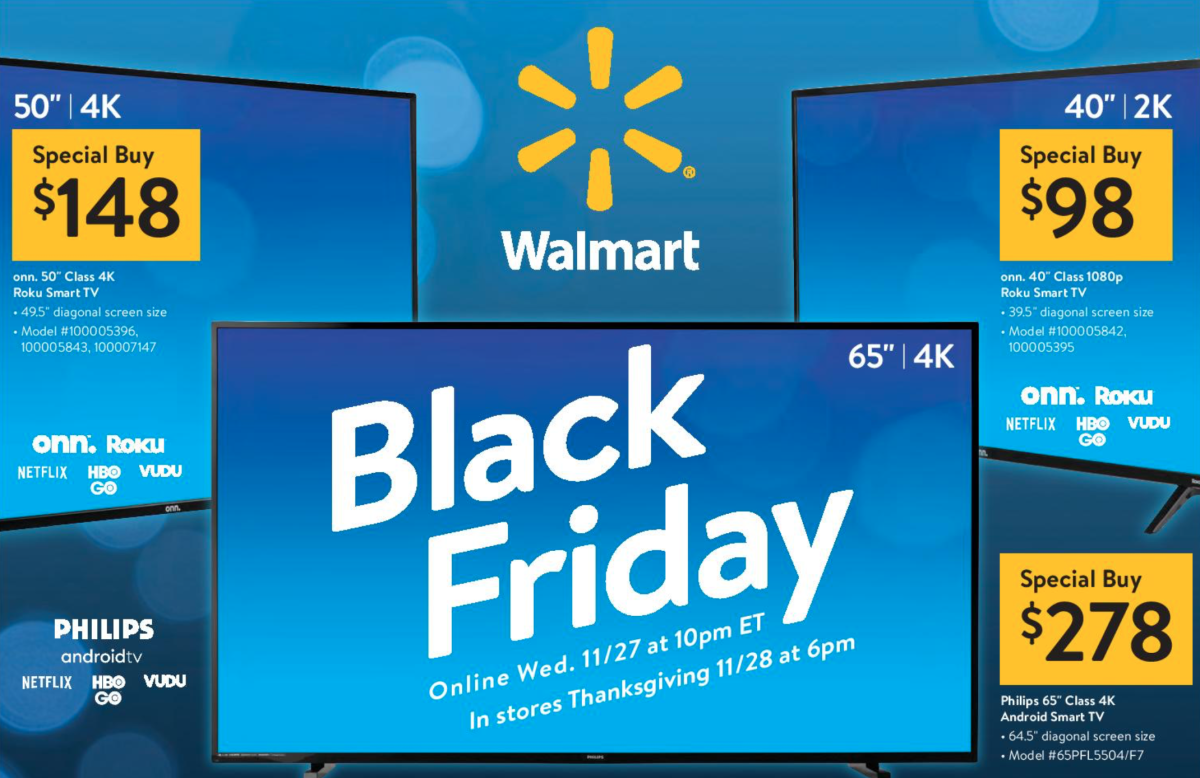
One common pitfall during Black Friday TV sales is the prevalence of derivative models or "Black Friday specials." These are specific stock keeping units (SKUs) manufactured exclusively for major holiday retail events.
Characteristics of Holiday Special SKUs
Manufacturers often alter part numbers slightly (for example, substituting a letter at the end of a standard model number like changing 8000FXZA to 8000FXZA-B or introducing an alternative series like UC6000 instead of UC7000). These models may look identical to flagship or popular mid-range sets from the outside, but they frequently include silent hardware downgrades:
- Reduced Dimming Zones: Decreasing local dimming zones from hundreds down to a dozen, or removing local dimming entirely in favor of global edge lighting.
- Lower Quality Processors: Swapping out advanced picture processing engines for older generation chips, leading to inferior upscaling of 1080p content and poor motion interpolation.
- Fewer Ports: Reducing HDMI ports from four down to two or three, or downgrading HDMI 2.1 ports to older HDMI 2.0 standards.
- Lower Quality Enclosures: Plastic frames, cheaper stands, and lower quality internal speakers.
How to Verify Genuine Discounts
- Cross-Reference Model Numbers: Before buying a heavily discounted 75-inch TV, search the exact model number on the manufacturer's main product page or independent testing sites like RTINGS. If the model number only appears in Black Friday promotional flyers, it is likely a derivative SKU.
- Use Historical Price Trackers: Use browser tools and price-tracking databases to review the 90-day price history of the item. Retailers sometimes raise an item's "original list price" in October to make a November Black Friday discount appear larger than it actually is.
- Check Price Match Policies: Many major retailers adjust their price match guarantees during Black Friday week. Confirm whether the retailer offers automatic price protection if the price drops further during Cyber Week or early December.
Room Placement, Mounting, and Installation Considerations
A 75-inch television screen is approximately 65.3 inches wide and 36.7 inches high (without a stand), measuring roughly 86 inches diagonally across the outer bezels. Installing a TV of this size requires careful physical planning.
| Physical Layout | Details |
|---|---|
| Viewing Distance | 7.5 to 10 feet (2.3 to 3.0 m) |
| Screen Width | Approx. 65.3 inches (166 cm) |
| Typical Weight | 60 to 95 lbs (27 to 43 kg) |
| Target Viewing Angle | 30° (Standard) to 40° (Cinema) |
Viewing Distance and Field of View
The Society of Motion Picture and Television Engineers (SMPTE) and home theater installation standards recommend a viewing angle between 30 and 40 degrees for an immersive experience.
- For a 40-degree field of view (Cinematic): Place seating approximately 7.5 feet (2.3 meters) from a 75-inch screen.
- For a 30-degree field of view (Standard Mixed Use): Place seating approximately 10 feet (3.0 meters) from the screen.
Because modern 4K resolutions ($3840 \times 2160$ pixels) feature high pixel density, individual pixels are invisible from 7.5 feet away, allowing close seating without seeing screen grid lines.
Wall Mounting and Structural Requirements
A 75-inch TV typically weighs between 60 to 95 pounds (27 to 43 kg), depending on whether it uses an edge-lit LED frame, a heavy Mini-LED backlight matrix, or a glass-backed OLED panel.
- VESA Pattern Compatibility: 75-inch TVs usually employ VESA mounting patterns ranging from $400 \times 400\text{ mm}$ to $600 \times 400\text{ mm}$. Ensure your wall mount bracket matches the exact VESA dimensions specified by the TV manufacturer.
- Stud Attachment: Never rely on drywall anchors or toggle bolts alone for a 75-inch TV. Mount brackets directly into at least two wooden wall studs (using lag bolts) or secure them into solid masonry/concrete walls.
- In-Wall Cable Management: If running power cables behind drywall to hide wires, check local electrical codes (such as the National Electrical Code in the U.S.). Standard TV power cords are rarely rated for inside-wall routing; use code-compliant in-wall power extension kits with recessed outlets.
Black Friday Buying Strategy by Brand Category
Budget Contenders (Hisense, TCL, Roku)
Budget manufacturers focus on high value by including advanced display technologies at aggressive price points. During Black Friday, TCL's 6-Series/QM7/QM8 lines and Hisense's U6/U7/U8 series are prime targets for deep discounts. Look for models featuring Mini-LED backlighting and native 120 Hz refresh rates, which often drop into the $700–$1,100 price bracket for a 75-inch screen.
Premium Mainstream (Sony, Samsung, LG)
Tier-one manufacturers command higher price tags due to proprietary video processing engines, upscaling performance, tone-mapping accuracy, and color calibration out of the box.
- Samsung: Known for bright Neo QLED (Mini-LED) options like the QN85 and QN90 series, alongside QD-OLEDs (S90/S95 series in 77-inch sizes). Excellent choice for bright living rooms and anti-reflective screen coating needs.
- LG: The market leader in traditional WOLED technology (C-series and G-series in 77-inch formats). Offers low input lag, four full-bandwidth HDMI 2.1 ports, and reliable webOS software.
- Sony: Uses advanced Cognitive Processor XR hardware, making their Bravia Mini-LED (Bravia 7, Bravia 9) and OLED series (A80/A95 series) top choices for cinema purists who prioritize high-fidelity motion processing and accurate upscaling of low-resolution content.
Frequently Asked Questions
Is Black Friday really the best time of year to buy a 75-inch TV?
Yes, alongside Super Bowl Sunday sales (late January/early February), Black Friday provides the deepest discounts of the year on current-model 75-inch TVs. Retailers aggressively mark down inventory during November to clear warehouse space for new models arriving early the following year.
What is the practical difference between a 75-inch and a 77-inch TV?
The 2-inch diagonal difference is due to panel manufacturing constraints. LCD, QLED, and Mini-LED displays are produced in standard 75-inch cuts. OLED panels are manufactured on motherglass sheets that yield standard 77-inch displays. The visual size difference is minimal, but the tech underlying them (LCD backlighting vs. self-emissive OLED) is fundamentally different.
How do I avoid buying a downgraded Black Friday doorbuster TV?
Always verify the exact model SKU before purchasing. Avoid models that lack clear technical specifications, use 60 Hz panels without local dimming, or only show up in temporary holiday flyers. Stick to established product lines reviewed by independent performance test outlets throughout the year.
What HDMI specifications do I need for PS5 or Xbox Series X gaming on a 75-inch screen?
Look for a 75-inch TV with at least two HDMI 2.1 ports supporting 4K resolution at 120Hz, Variable Refresh Rate (VRR), and Auto Low Latency Mode (ALLM). This ensures smooth gaming performance without screen tearing or excessive input lag.
Should I choose a 75-inch Mini-LED or a 77-inch OLED TV?
Choose a 75-inch Mini-LED TV if your television is placed in a bright, sunlit room with multiple windows, as its high peak brightness helps combat heavy glare. Choose a 77-inch OLED TV if you primarily watch movies or play games in light-controlled or dark environments, where its individual pixel control delivers pitch-black levels and wide viewing angles.
Final Recommendation & Next Steps
When shopping during 75-inch TV Black Friday sales, balance total budget against primary room conditions and usage habits. For brightly lit family rooms, target mid-to-high-end Mini-LED or QLED models featuring Full-Array Local Dimming (FALD) and at least 1,000 nits of peak brightness. For dedicated media rooms or dark-room viewing, prioritize a 77-inch OLED panel for superior shadow detail and pixel response.
Actionable Checklist:
- Measure your installation space to confirm clearance for a 65.3-inch wide frame and verify wooden stud placement for wall mounting.
- Decide on your required display technology (LED/QLED, Mini-LED, or OLED) based on room lighting.
- Track the specific target model's price early in November to identify true Black Friday discounts versus artificial list-price markups.
- Verify native refresh rates ($120\text{ Hz}$ preferred) and HDMI 2.1 connectivity prior to completing your purchase.