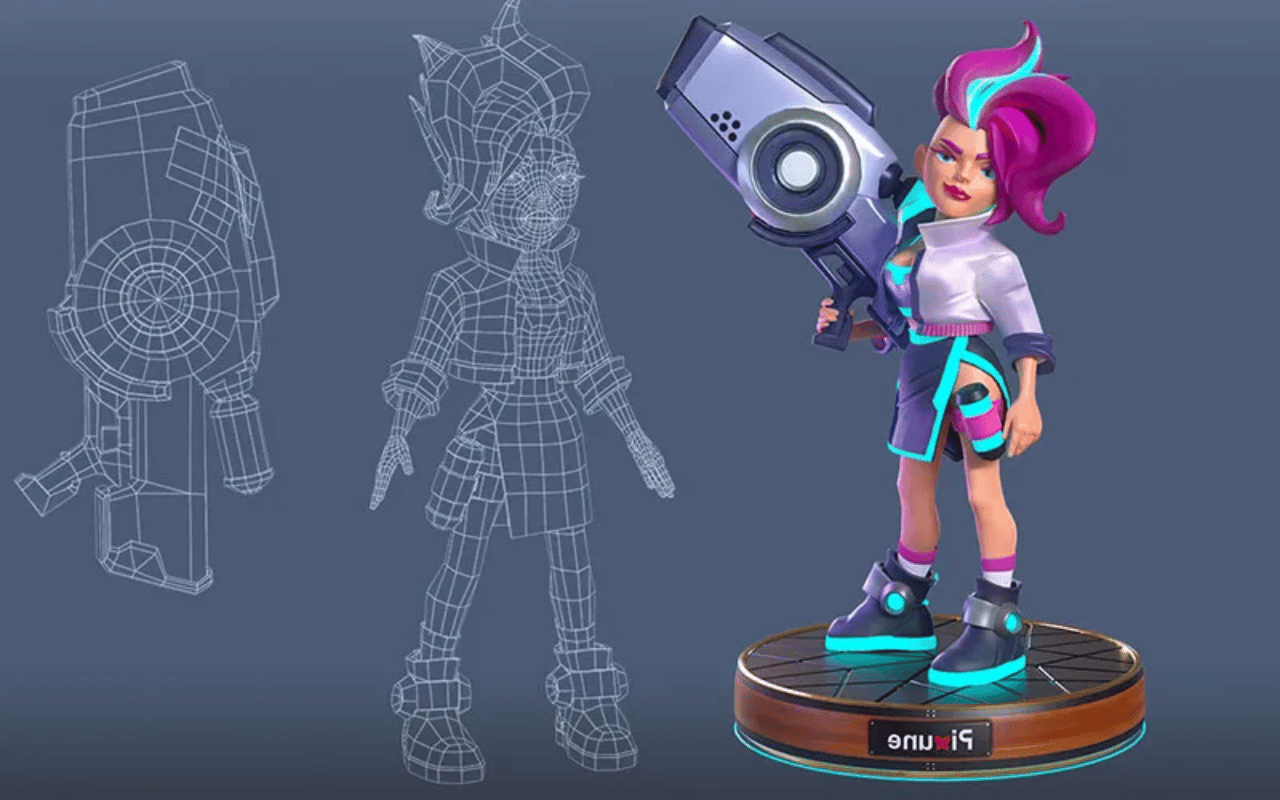
3D modeling is the digital process of developing a mathematical coordinate-based representation of any surface or object in three dimensions using specialized computer software. This foundational technique transforms flat visual concepts into fully realized digital assets used across architecture, engineering, entertainment, manufacturing, and medical visualization.
The practice of generating three-dimensional computer graphics has evolved from rudimentary wireframe approximations into a sophisticated technological discipline. Understanding 3D modeling requires navigating a vast ecosystem of software tools, algorithmic approaches, mathematical principles, and industry-specific workflows. Whether developing assets for real-time video game engines, manufacturing physical components through computer numerical control, or rendering photorealistic architectural spaces, 3D modeling serves as the backbone of modern digital creation.
Understanding the Core Concepts of 3D Digital Space
At its heart, 3D modeling operates within a virtual Cartesian coordinate system defined by three axes: X (width), Y (height), and Z (depth). Every point in this digital environment is located using coordinates known as vertices.
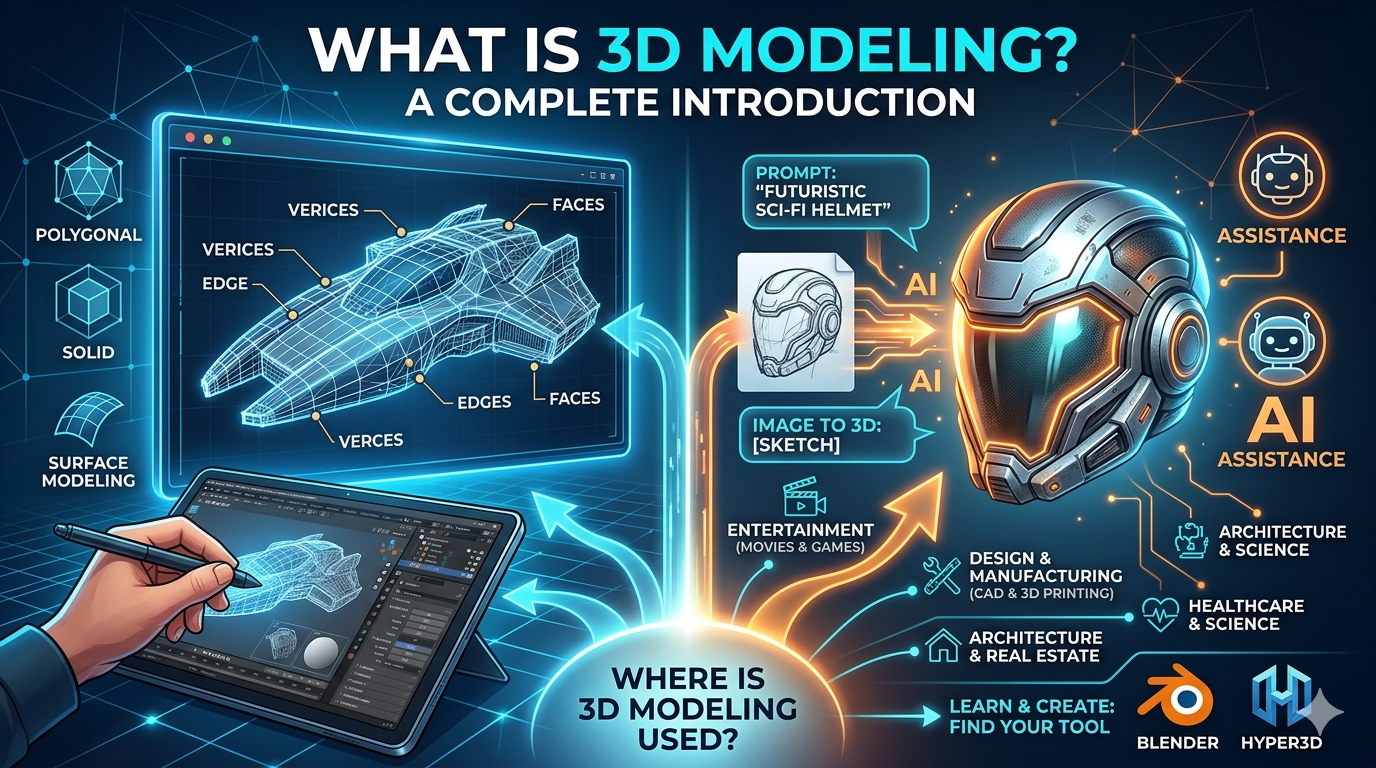
The structural integrity of a digital model relies on three fundamental geometric components:
- Vertices: Individual points in 3D space defined by X, Y, and Z coordinates.
- Edges: Straight line segments connecting two vertices, forming the skeletal outlines of shapes.
- Faces: Closed areas enclosed by edges, typically configured as triangles or quadrilaterals (quads), which give physical form and volume to a wireframe structure.
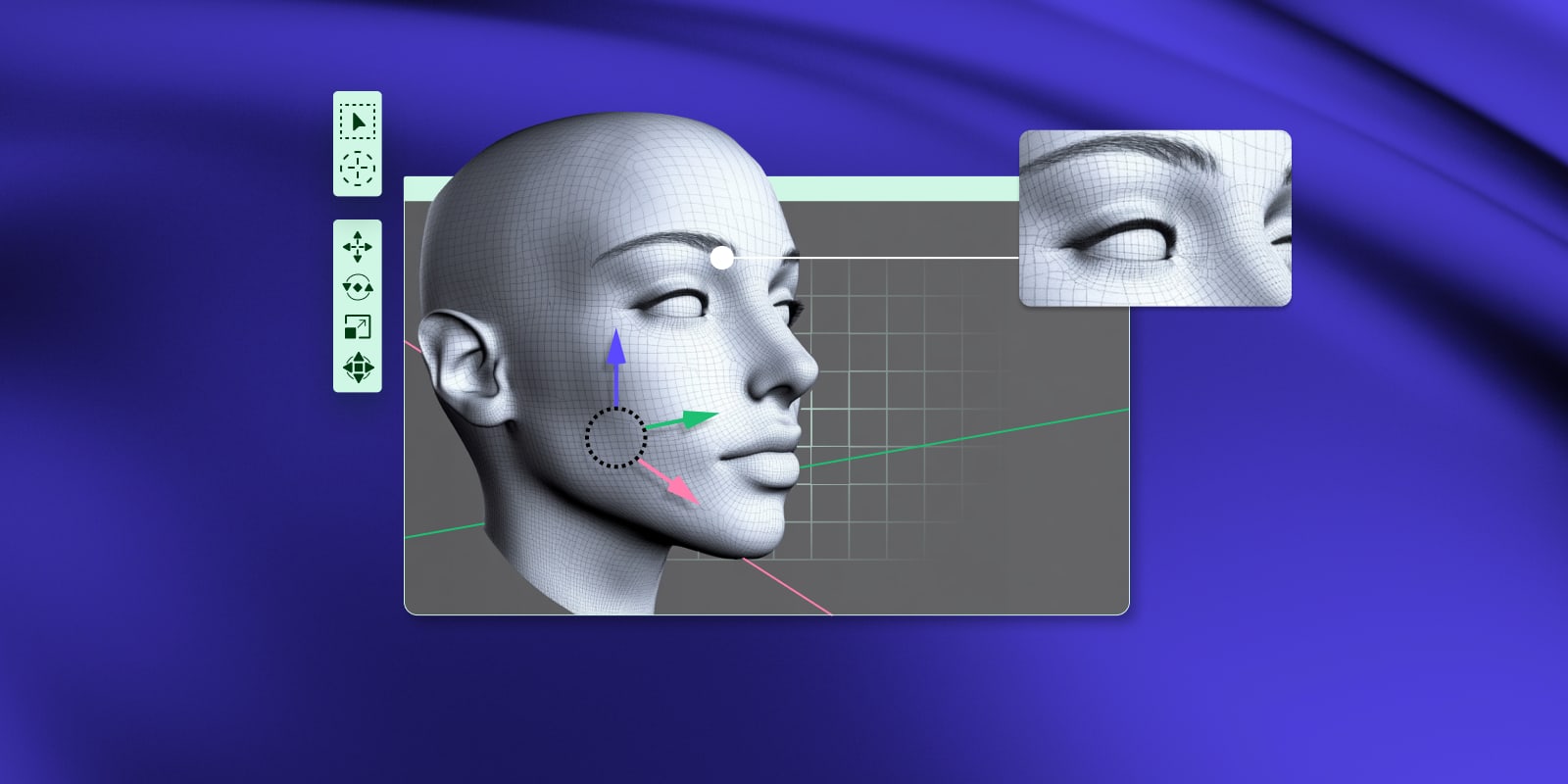
When grouped together, vertices, edges, and faces form what is known as a polygon mesh. The density and topology—the arrangement of the mesh's edges and faces—determine how a model deforms during animation and how smoothly light interacts with its surface during rendering.
Primary 3D Modeling Techniques
Different industries and creative goals require distinct approaches to constructing digital shapes. Artists and engineers select their modeling techniques based on whether they need organic fluidity, precise mechanical accuracy, or efficient surface generation.
Polygonal Modeling
Polygonal modeling is the most widespread technique, heavily utilized in entertainment, gaming, and visual effects. In this approach, objects are built using polygons—predominantly quads and triangles. Artists manipulate individual vertices, edges, and faces to shape the asset.
This method offers fine control over mesh topology, which is critical for character animation. If a mesh has poor topology, joints will pinch, stretch unnaturally, or deform incorrectly when moving.
NURBS and Curve-Based Modeling
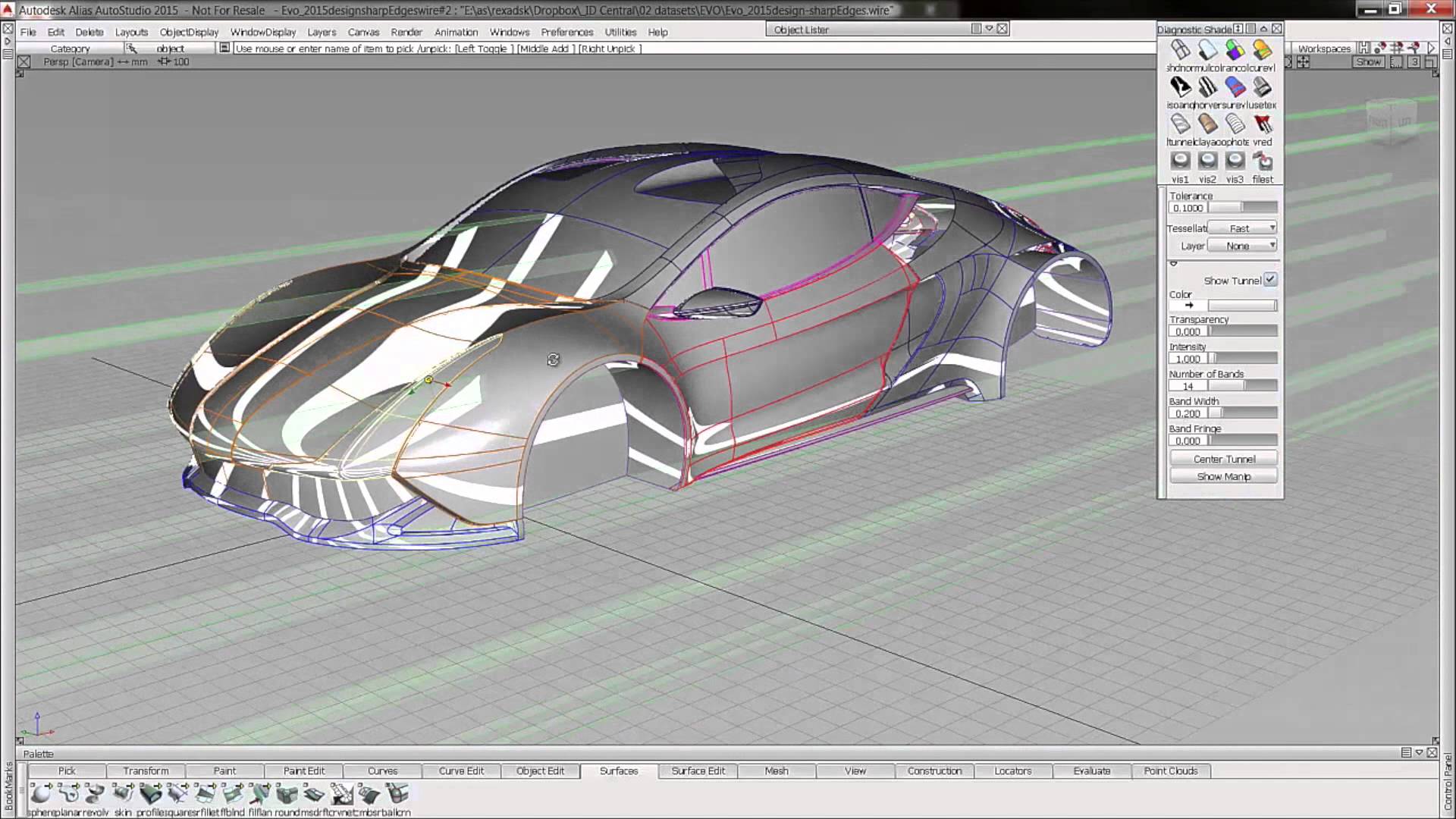
Non-Uniform Rational B-Splines (NURBS) rely on mathematical formulas rather than flat polygons to define smooth surfaces and curves. This technique is the industry standard for industrial design, automotive engineering, and aerospace manufacturing, where millimeter-level precision is non-negotiable.
Unlike polygon meshes, which approximate curves through high density, NURBS models maintain absolute mathematical smoothness at any scale. This ensures that manufactured physical parts fit together seamlessly.
Digital Sculpting
Digital sculpting mimics traditional clay sculpting within a virtual environment. Using specialized software tools that act like brushes, artists push, pull, smooth, and pinch high-density digital meshes.
This technique is predominantly used for organic modeling—such as human characters, creatures, clothing folds, and complex natural environments—where manual vertex manipulation would be impossibly time-consuming.
| Modeling Technique | Primary Use Cases | Advantages | Limitations |
|---|---|---|---|
| Polygonal Modeling | Video games, VFX, animation, low-poly design | Flexible, widely supported, optimized for real-time engines | Harder to achieve absolute mathematical precision for engineering |
| NURBS / CAD | Automotive design, industrial engineering, architecture | Infinite smoothness, mathematically precise, ideal for manufacturing | Poorly suited for organic shapes and character animation |
| Digital Sculpting | Organic assets, character art, high-detail assets | Intuitive, fast for complex organic details, high artistic freedom | Generates massive polygon counts requiring retopology |
Essential Software Ecosystem
The 3D modeling software landscape is diverse, with applications tailored to specific pipelines and industries. Selecting the right tool depends on the intended output, budget, and project requirements.
Industry-Standard Suites
- Blender: A powerful, open-source creation suite that covers the entire 3D pipeline, including modeling, rigging, animation, simulation, rendering, and compositing. Its zero-cost accessibility has made it a dominant force in both indie and professional studios.
- Autodesk Maya: Widely regarded as the industry standard for high-end film production, visual effects, and character rigging. Maya offers deep customization and robust toolsets for complex animation pipelines.
- Autodesk 3ds Max: Historically favored in architectural visualization, product design, and game development for its robust modifier stack and architectural toolsets.
CAD and Engineering Software
- AutoCAD: The foundational software for 2D drafting and basic 3D conceptual design in architecture and construction.
- SolidWorks and Fusion 360: Specialized parametric computer-aided design tools used by mechanical engineers and product designers to build functional, testable physical assemblies.
Sculpting and Texturing Applications
- Maxon ZBrush: The premier digital sculpting application used across the film and gaming industries to generate ultra-high-resolution organic models.
- Substance 3D Painter: An industry-standard texturing tool that allows artists to paint 3D materials, textures, and weathering effects directly onto polygon meshes.
The 3D Modeling Pipeline
Creating a finished 3D asset involves a structured sequence of production stages. Skipping or rushing any step often leads to downstream failures during texturing, rigging, or rendering.
- Concept and Reference Gathering: Collecting blueprints, concept art, and photographic references to establish scale, proportion, and visual style.
- Blocking (Blockout): Constructing primitive shapes (cubes, cylinders, spheres) to establish the basic silhouette, scale, and composition of the model within the 3D space.
- Detailed Modeling: Refining the geometry, adding structural details, and ensuring clean edge flow and topology.
- UV Unwrapping: "Unfolding" the 3D mesh into a flat 2D plane, creating a coordinate map (UVs) that dictates how 2D textures wrap around the 3D surface.
- Texturing and Shading: Applying colors, roughness, bump maps, and material properties (such as metalness or transparency) to make the surface look believable.
- Rigging and Skinning (Optional): Adding a digital skeleton (bones and joints) to a model and binding the mesh to that skeleton so it can be animated.
- Lighting and Rendering: Setting up virtual light sources, cameras, and rendering engines to calculate light behavior and output final images or video sequences.
Hardware Requirements and Performance Considerations
3D modeling and rendering demand significantly more computing power than standard office applications or web browsing. Building or purchasing an effective workstation requires balancing several key hardware components.
Graphics Processing Unit (GPU)
The GPU is arguably the most critical component for modern 3D workflows. Real-time viewports rely heavily on the graphics card to display millions of polygons smoothly. Furthermore, modern rendering engines utilize GPU acceleration to render complex scenes in seconds rather than hours. NVIDIA and AMD cards dominate the market, with NVIDIA's CUDA architecture offering the widest compatibility with third-party renderers.
Central Processing Unit (CPU)
While GPUs handle real-time display and GPU rendering, the CPU remains vital for tasks like simulation (cloth, fluid, particles), physics calculations, procedural generation, and CPU-based rendering. High core counts and strong single-core clock speeds are essential for heavy multitasking across complex pipelines.
Random Access Memory (RAM)
Working with high-resolution textures and dense polygon counts requires substantial system memory. While 16 GB of RAM is an absolute minimum for basic projects, professional environments working with cinematic assets or large architectural scenes typically require 32 GB to 64 GB or more.
Common Challenges and Troubleshooting
Even experienced 3D artists encounter technical hurdles during asset creation. Recognizing and resolving these issues early prevents wasted render time and broken assets.
- Non-Manifold Geometry: This occurs when a mesh has structural anomalies, such as internal faces, zero-area polygons, or edges shared by more than two faces. Non-manifold geometry breaks slicing software for 3D printing and causes errors in simulation engines. Running automated mesh cleanup tools or manually inspecting edge loops resolves this.
- Stretched UVs: If an asset's UV map is distorted, applied textures will warp and lose fidelity. Utilizing conformal or angle-based UV unwrapping algorithms ensures texture coordinates remain proportionate.
- Excessive Polygon Density: High-poly counts bloat file sizes and slow down viewport performance. Artists manage this by creating low-poly proxy models and baking high-detail surface information into normal maps.
Frequently Asked Questions
What is the difference between CAD and 3D modeling?
Computer-Aided Design (CAD) focuses on precise mathematical measurements, functional assemblies, and manufacturing tolerances used in engineering and architecture. General 3D modeling encompasses artistic creation, organic sculpting, and visual effects where aesthetic silhouette and topology often take precedence over manufacturing specifications.
Is 3D modeling difficult to learn?
Learning 3D modeling requires patience, as it combines technical software navigation with spatial reasoning and artistic principles. While basic shapes and simple models can be learned within a few weeks, mastering advanced topology, digital sculpting, and texturing pipelines typically takes years of consistent practice.
Do I need a powerful computer to start 3D modeling?
You do not need an enterprise-grade workstation to begin. Modern software like Blender can run on modest hardware if you stick to low-poly modeling and simple scenes. However, upgrading your GPU and RAM becomes necessary as you move into digital sculpting, high-resolution texturing, and photorealistic rendering.
Can 3D models be printed in the physical world?
Yes. Digital models can be exported as stereolithography (STL) or 3D Manufacturing Format (3MF) files, which are read by 3D printers. However, printable models must be watertight—meaning they possess a closed, manifold volume with zero holes or intersecting geometry.
How do 3D models get used in video games?
Game engines like Unreal Engine and Unity import 3D models along with their textures, rigs, and animations. Because games run in real time (typically targeting 30 to 60 frames per second or higher), game models must be optimized with efficient polygon counts and baked texture maps to ensure smooth performance.
Next Actions for Aspiring 3D Artists
To begin your journey in 3D modeling, download a free, comprehensive software suite such as Blender, and start by following foundational beginner tutorials focusing on interface navigation and primitive manipulation. Practice consistently by modeling everyday household objects before attempting complex organic characters or architectural environments. Focus on understanding clean topology early, as proper habits formed at the beginner stage will support more advanced technical workflows later.