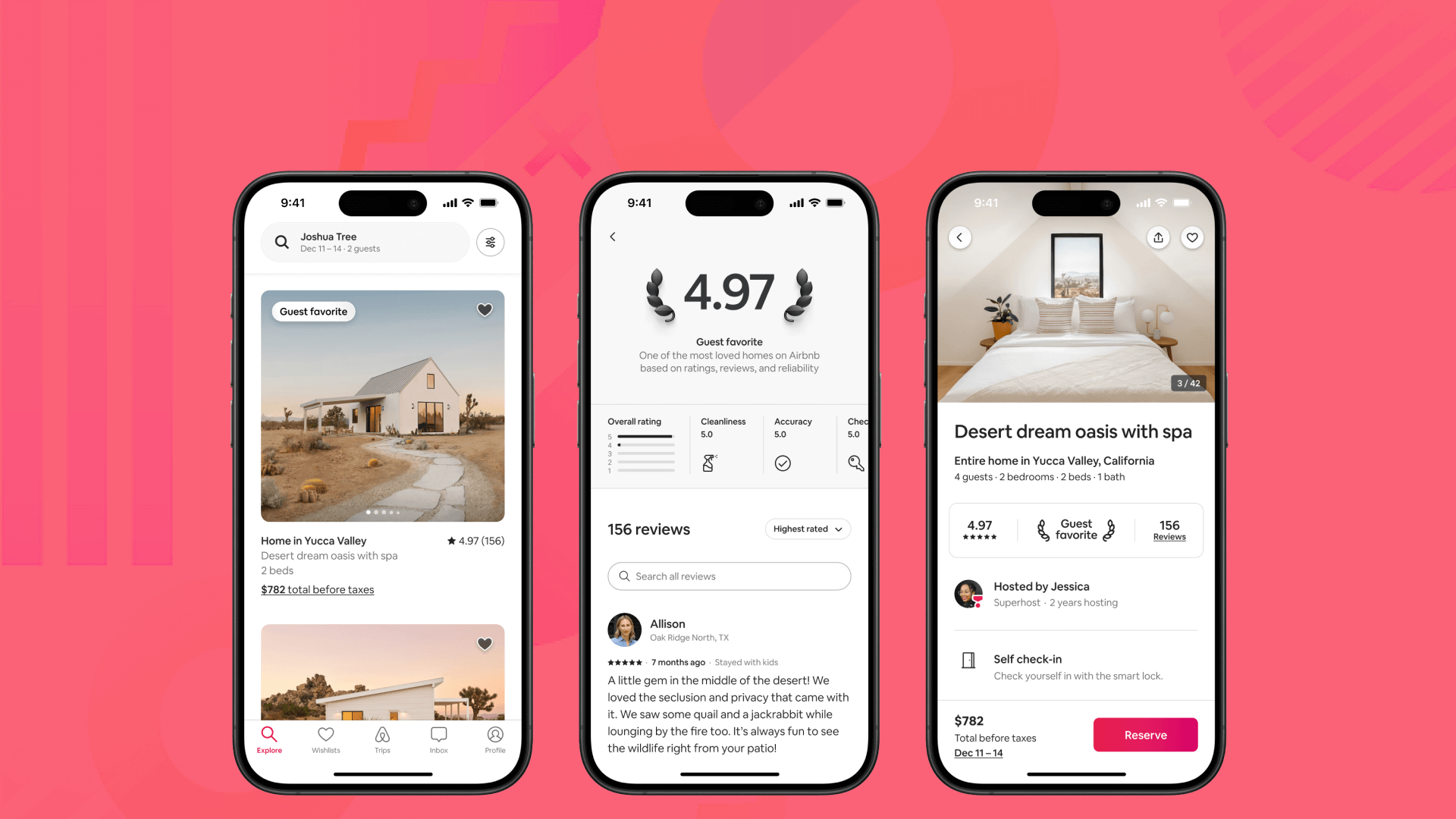
Modern vacation rental websites and direct booking portals rely on clean, vector-based Airbnb icons to showcase essential amenities like Wi-Fi, self check-in, EV charging, and pet friendliness. Utilizing free, lightweight Scalable Vector Graphics (SVG) icon sets styled in minimalist line art enhances mobile user experience, speeds up site load times, and improves search engine optimization (SEO) when paired with proper accessibility attributes and descriptive image alt text.
Why Strategic Iconography Drives Vacation Rental Bookings and SEO
In short-term rental management and web design, visual communication determines how fast a prospective guest understands property features. Browsing guests rarely read dense paragraphs of text; instead, they scan web pages for visual anchors. High-contrast, intuitive amenity icons function as micro-content that communicates property value within milliseconds.
From an organic search perspective, iconography plays a pivotal role in overall User Experience (UX) and site performance metrics. Modern search engines evaluate user engagement signals such as time on page, click-through rates, and bounce rates. When guests easily navigate a direct booking site and visually confirm that key amenities are present, session duration increases and conversion friction drops.
Furthermore, technical SEO benefits significantly from lightweight vector graphics. Standard raster images like PNGs or JPEGs add unnecessary payload to page loads, slowing down mobile rendering. Implementing scalable, vector-based SVG icons reduces page weight, supporting faster Core Web Vitals performance. Faster page speeds correlate directly with higher rankings in search engine results pages (SERPs).
Top 10 Must-Have Airbnb Icons Guests Look For
To maximize property appeal across digital guidebooks, landing pages, and listing sites, hosts must prioritize icons representing high-demand amenities. Design trends from 2025 established a clear hierarchy of traveler preferences that continue to dominate short-term rental marketing in 2026.
1. High-Speed Wi-Fi & Dedicated Workspace
With remote and hybrid work established worldwide, guests frequently filter listings by reliable internet and comfortable work environments. An icon representing fiber Wi-Fi or a desk setup signals that the property can accommodate digital nomads and business travelers without connectivity issues.
2. Keyless Self Check-In & Smart Locks
Travelers value flexibility and independence upon arrival. Icons indicating keypads, smart locks, or mobile key access eliminate arrival anxiety. This icon reassures guests that late-night check-ins or delayed flights will not hinder property access.
3. EV Charging Stations & Dedicated Parking
As electric vehicle adoption expands globally, on-site Level 2 EV chargers have transformed from a luxury perk to a decisive booking factor. Clear parking icons—distinguishing between private garage, driveway, and free street parking—prevent logistical confusion before booking.
4. Pet-Friendly Amenities & Fenced Yards
Pet travel remains one of the fastest-growing niches in vacation rentals. Icons highlighting pet acceptance, fully fenced yards, or nearby dog parks instantly attract dog owners while clarifying property rules.
5. Private Hot Tubs, Pools, & Wellness Features
High-value amenities like heated outdoor pools, hot tubs, or saunas drive premium nightly rates. Visual icon badges for these wellness features draw immediate attention in search previews and amenity grids.
6. Fully Equipped Kitchens & Outdoor BBQ
Guests booking short-term rentals over traditional hotels often do so for self-catering facilities. Icons depicting a full kitchen, espresso machine, or outdoor barbecue grill emphasize cost-saving lifestyle conveniences.
7. In-Unit Washer & Dryer
For long-term stays, family vacations, and outdoor adventure travel, laundry access is essential. A laundry icon signals convenience for extended itineraries, reducing the luggage burden for traveling families.
8. Child & Family Amenities
Families traveling with toddlers require specific setup items. Icons displaying cribs, high chairs, baby gates, or children's tableware demonstrate host thoughtfulness and safety readiness.
9. Eco-Friendly & Sustainable Features
Eco-conscious travelers prioritize properties with lower carbon footprints. Displaying icons for solar power, composting, graywater systems, or energy-efficient climate control appeals to environmentally conscious demographics.
10. Accessible & Mobility-Friendly Layouts
Inclusivity is critical in short-term rental design. Icons indicating step-free entrance pathways, wide doorways, roll-in showers, and grab bars allow guests with accessibility requirements to book with confidence.
Dominant Icon Design Trends for Vacation Rental Websites
Icon design styles continuously evolve alongside digital interface design. The standard icon graphics of earlier years have given way to refined, modern aesthetic frameworks.
| Style | Description |
|---|---|
| Monoline Art | Thin, consistent line weights (1.5px-2px) |
| Dual-Tone Soft | Primary line art + muted background fill |
| Geometric Modern | Uniform corner radii & symmetrical paths |
| Micro-Animated | CSS subtle hover-state transitions |
Minimalist Monoline Vectors
Monoline icons utilize a single stroke thickness—typically between 1.5 pixels and 2 pixels—to create clean, uncluttered shapes. This style integrates seamlessly into modern minimalist site themes, offering maximum legibility across mobile displays and desktop viewports.
Soft Dual-Tone & Pastel Palettes
Dual-tone graphics pair crisp outline paths with secondary shaded fills. By using soft neutrals, warm terracottas, or muted sage greens, dual-tone icon sets convey a relaxing, hospitality-oriented atmosphere while maintaining high contrast against light web backgrounds.
Rounded Geometric Modernism
Sharp right angles in vector design have largely been replaced by soft, rounded corner radii. Geometric icons built on consistent grid templates deliver a friendly visual feel without sacrificing professional aesthetic balance.
Micro-Interactions & CSS Hover States
Modern direct booking engines incorporate lightweight CSS hover effects into vector icons. Subtle scale adjustments, color shifts, or smooth icon elevates when a user hovers over an amenity item create an interactive, dynamic user experience.
Comparison of Top Free Platforms for Airbnb Vector Icons
Selecting the right source for free icon assets requires evaluating licensing, vector availability, and customization options. Below is an overview of major repositories providing free icon assets suitable for vacation rental branding.
| Platform Name | Vector Formats | Free Commercial Licensing | Customization Capabilities | Ideal Use Case |
|---|---|---|---|---|
| SVG Repo | SVG | Public Domain / CC0 (Varies by set) | High (Raw SVG download & code edit) | Direct booking websites & inline HTML |
| Font Awesome Free | SVG, Web Fonts | SIL Open Font License / CC BY 4.0 | Medium (CSS class styling & sizing) | Scalable site-wide UI framework |
| Flaticon | SVG, PNG, EPS | Free with attribution required | High (Color palette editor on site) | Digital guidebooks & print welcome books |
| The Noun Project | SVG, PNG | Free with attribution / Paid CC0 | High (Clean vector line work) | Custom hospitality branding & icons |
| Tabler Icons | SVG | MIT License (No attribution required) | High (Adjustable stroke width & color) | Clean, developer-friendly web UI |
| Feather Icons | SVG | MIT License (No attribution required) | High (Minimalist line vector design) | Ultra-lightweight mobile web interfaces |
Technical SEO Optimization Guidelines for Icon Assets
Integrating icons into a website involves more than copying image files into a directory. Improperly optimized images degrade site performance and hurt search engine visibility. Adhering to technical SEO best practices ensures icon assets load fast and contribute positively to search indices.
SVG vs. Raster Graphics: Why Vector Wins for Performance
Raster formats like PNG or JPEG store image data as fixed grids of colored pixels. When resized for mobile screens or high-density Retina displays, raster images either lose sharpness or require massive file downloads to remain crisp.
In contrast, SVG files define shapes using mathematical vectors. An SVG file scalable across all viewport sizes typically maintains a file size under 2 KB. Utilizing SVGs drastically reduces HTTP payload sizes and helps maintain excellent Core Web Vitals metrics, specifically Largest Contentful Paint (LCP) and Interaction to Next Paint (INP). Detailed optimization practices can be explored through official Google Search Central Image Guidelines.
SVG Code Minification and Asset Cleaning
Vector software often exports unnecessary metadata, such as layer titles, XML namespaces, and designer comment tags. Before deploying SVGs to a live server, clean vector files using automated minification tools like SVGO. Removing surplus data reduces file size by 30% to 50% without altering visual quality.
Writing Search-Engine-Friendly Alt Text and Title Tags
Search engine crawlers cannot visually interpret raw graphic files without contextual code text. When embedding icons via standard HTML image tags, provide explicit, descriptive alternative text (alt text).
- Poor Alt Text:
alt="icon" - Generic Alt Text:
alt="wifi" - SEO-Optimized Alt Text:
alt="High-speed fiber Wi-Fi internet amenity icon"
Descriptive alt text clarifies context for search crawlers while assisting screen readers for visually impaired users.
Accessibility Standards (WCAG Compliance & ARIA Attributes)
Inclusive design is standard web practice. Under the Web Content Accessibility Guidelines, icons that communicate essential content must be fully accessible. Refer to the W3C Web Accessibility Initiative for international standards on web accessibility.
If an icon is paired with visible text (for example, an icon of a car placed next to the text "Free On-Site Parking"), the icon is considered decorative. Decorative icons should include the attribute aria-hidden="true" so screen readers do not repeat redundant information.
If an icon stands alone without accompanying text, it must include an aria-label attribute or an embedded SVG </code> tag describing its exact meaning.</p>
<h3>Structured Data Integration (Schema Markup)</h3>
<p>Search engine bots utilize structured data to understand property details. Incorporating host amenities into JSON-LD schema markup helps search engines index property features accurately. Review detailed property schema guidelines directly at <a href="https://schema.org/Accommodation">Schema.org Accommodation Specifications</a>.</p>
<pre><code class="language-json">{
"@context": "https://schema.org",
"@type": "VacationRental",
"name": "Seaside Modern Villa",
"amenityFeature": [
{
"@type": "LocationFeatureSpecification",
"name": "High-Speed Wi-Fi",
"value": true
},
{
"@type": "LocationFeatureSpecification",
"name": "EV Charging Station",
"value": true
}
]
}
</code></pre>
<p>Aligning graphic iconography on the frontend with matching backend schema properties provides search engines with a unified signal of your property's offerings.</p>
<h2>Step-by-Step Implementation Guide for Custom Airbnb Icons</h2>
<p>Follow this structured technical workflow to source, prepare, and embed amenity icons into direct booking sites or web-based host guidebooks.</p>
<ol>
<li><strong>Audit & Select</strong>: Choose unified icon set matching brand</li>
<li><strong>Clean & Minify</strong>: Strip unused SVG metadata via SVGO</li>
<li><strong>Style via CSS</strong>: Define stroke width, size, and colors</li>
<li><strong>Add Accessibility</strong>: Assign aria-hidden or semantic alt tags</li>
</ol>
<h3>Phase 1: Resource Auditing and Style Uniformity</h3>
<p>Select a single open-source icon family (such as Tabler Icons or Feather Icons) to preserve visual consistency across all property listings. Avoid mixing filled solid icons with thin line icons, as visual discrepancies erode site professionalism.</p>
<h3>Phase 2: Vector Optimization</h3>
<p>Run every downloaded SVG icon through a minifier. Ensure vector viewports use standardized pixel dimensions (such as 24x24 pixels) so all icons render uniformly without custom adjustments per element.</p>
<h3>Phase 3: CSS Styling Setup</h3>
<p>Define standard CSS classes for icon assets within your stylesheet to manage size, alignment, and hover transitions across the website:</p>
<ul>
<li>Set display property to <code>inline-block</code> or <code>flex</code> for baseline text alignment.</li>
<li>Set height and width dimensions explicitly (e.g., <code>24px</code> by <code>24px</code>) to prevent Layout Shifts (CLS).</li>
<li>Utilize CSS variables for colors, enabling seamless dark mode switching.</li>
</ul>
<h3>Phase 4: HTML Embedding and Semantic Marking</h3>
<p>Embed SVGs inline or using standard image tags depending on styling needs. Inline embedding allows CSS fill and stroke control directly within the document, whereas standard image tags leverage browser caching effectively.</p>
<h2>Common Mistakes to Avoid in Vacation Rental Icon Design</h2>
<p>Even experienced hosts and web developers make implementation errors that hurt site usability and search rankings.</p>
<h3>1. Mixing Incompatible Graphic Styles</h3>
<p>Combining cartoonish vector icons alongside ultra-thin line art creates visual clutter. Stick to one comprehensive icon library or custom-designed icon set across the entire property website.</p>
<h3>2. Over-Complicating Vector Detail</h3>
<p>Icons render at small sizes on mobile devices (often between 16px and 32px). Icons with intricate details, fine gradient fills, or dense lines turn into unreadable shapes on mobile screens. Choose simple geometric graphics.</p>
<h3>3. Using Uncompressed Raster Files</h3>
<p>Uploading large PNG or JPG files for small UI icons inflates page weight unnecessarily. Always convert non-vector assets to optimized WebP files if SVGs cannot be utilized.</p>
<h3>4. Ignoring Dark Mode and Low-Contrast Colors</h3>
<p>Light gray icons on white backgrounds fail web accessibility contrast ratios. Ensure icon colors provide at least a 4.5:1 contrast ratio against background elements in both light and dark display modes.</p>
<h3>5. Neglecting Mobile Touch Targets</h3>
<p>When icons act as interactive buttons or filter toggles, they must be easy to tap on mobile screens. Ensure interactive icon containers meet the minimum touch target size of 48x48 pixels.</p>
<h2>Frequently Asked Questions (FAQ)</h2>
<h3>Where can I find legally free Airbnb icons for commercial web use?</h3>
<p>Platforms such as SVG Repo, Tabler Icons, and Feather Icons offer open-source SVG icons under permissive licenses (such as CC0 or MIT) that permit commercial use without mandatory attribution. Always verify the specific license file included with each icon set before publishing.</p>
<h3>Why are SVG icons better than PNG graphics for direct booking websites?</h3>
<p>SVG files are infinitely scalable vector graphics that look sharp on all screen resolutions, including Retina displays, while maintaining minimal file size (often under 2 KB). PNG files are raster images that become pixelated when scaled or require larger file sizes, which slows down page loading speeds and hurts mobile performance.</p>
<h3>Do custom amenity icons directly boost Google search rankings?</h3>
<p>Icons indirectly influence search rankings by improving key user experience signals. Lightweight icons accelerate page load speeds (optimizing Core Web Vitals), while intuitive visual cues increase time on site and lower bounce rates. Search engines view these positive engagement metrics as indicators of high-quality web content.</p>
<h3>What is the correct way to write alt text for amenity icons?</h3>
<p>If an icon is displayed alongside descriptive text, mark the icon as decorative using <code>aria-hidden="true"</code> to prevent redundant screen reader playback. If an icon stands alone, write specific, context-rich alt text, such as <code>alt="Keypad smart lock for self check-in"</code>, rather than generic words like "icon" or "lock".</p>
<h3>How do I ensure my property icons render properly on mobile screens?</h3>
<p>Use explicit width and height dimensions in CSS (such as 24px or 32px) and set scalable viewport dimensions within the SVG vector code (<code>viewBox="0 0 24 24"</code>). Ensure icon containers meet touch target guidelines (at least 48x48 pixels) if the icon functions as a clickable link or interactive toggle.</p>
<h2>Recommended Next Actions for Hosts and Site Managers</h2>
<p>Enhancing your vacation rental platform with modern vector icons is a high-return optimization step. Take these initial actions to improve visual appeal and site performance:</p>
<ol>
<li><strong>Perform an Asset Audit:</strong> Review your property listing pages or direct booking site to identify low-resolution PNGs, missing icons, or inconsistent visual styles.</li>
<li><strong>Download a Unified Icon Set:</strong> Select an open-source SVG collection like Tabler Icons or Feather Icons to maintain visual consistency across all amenities.</li>
<li><strong>Optimize Vector Files:</strong> Minify all SVG assets using SVGO tools to clean out unnecessary code before deployment.</li>
<li><strong>Implement Accessibility and Schema:</strong> Add proper alt text or <code>aria-hidden</code> tags to HTML templates, and update property structured data to mirror your listed amenities.</li>
</ol>
<p><strong>